Studio 6
Task 1: Experimenting with Bash Function
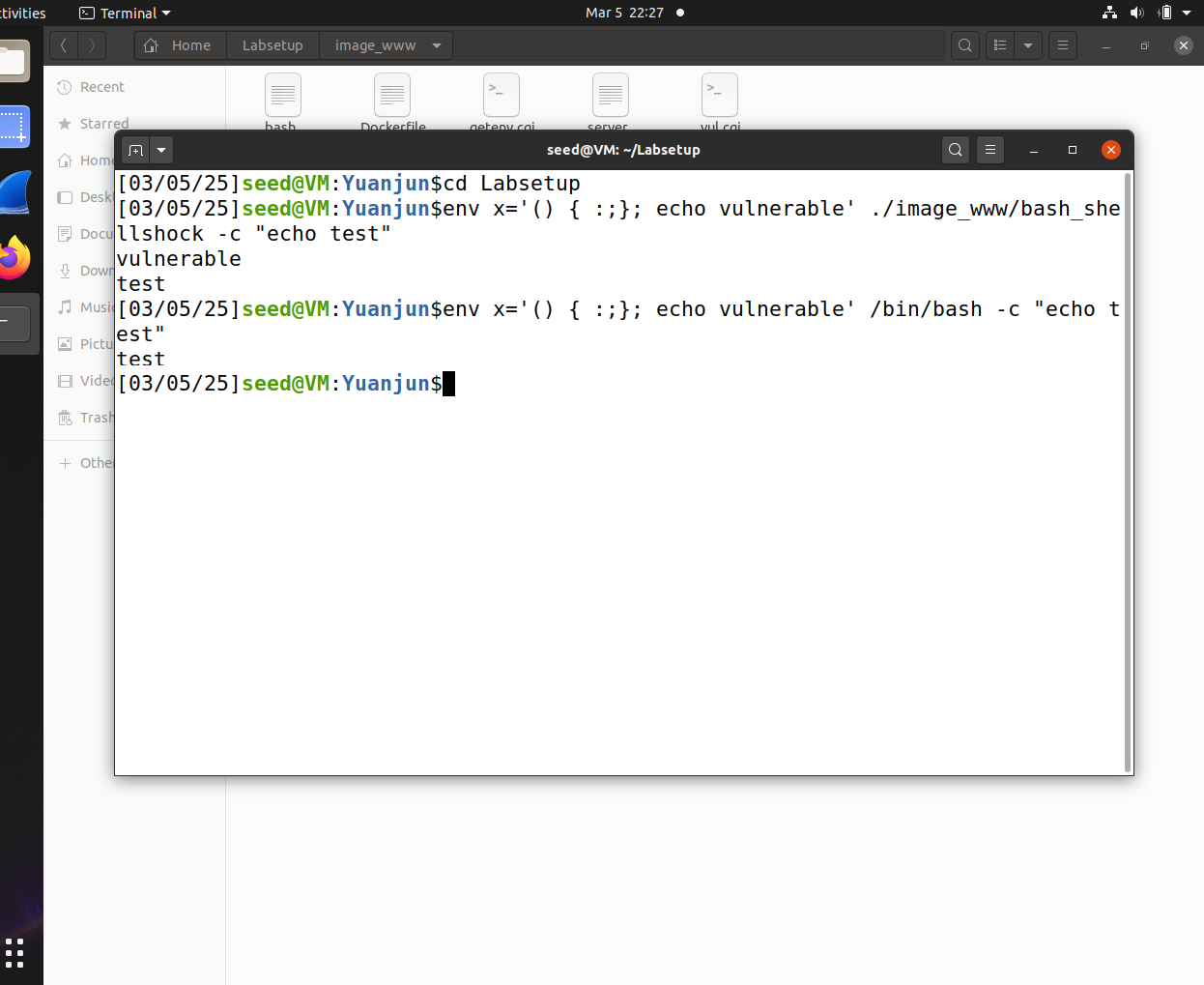
As shown in the image above, two command lines both include the environment variable () { :;}; echo vulnerable.
However, only the installed vulnerable version of bash (bash_shellshock) outputs the string vulnerable, printing the injected command from the environment variable.
In contrast, the patched version (/bin/bash) only outputs test, ignoring the malicious code.
Task 2: Passing Data to Bash via Environment Variable
-
Default
curlRequest:
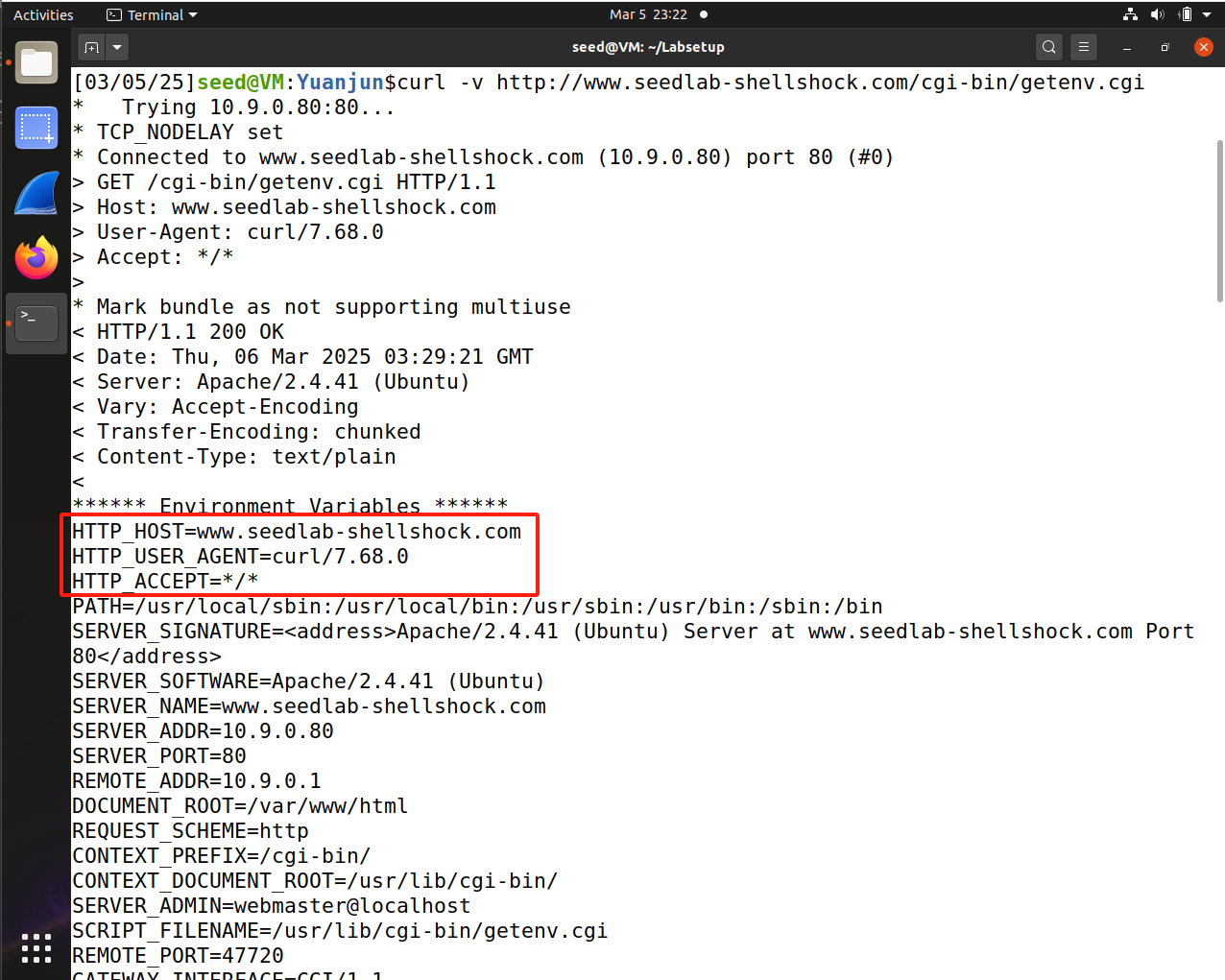
We can see the HTTP headers sent by
curl, including Host, User-Agent, and Accept etc. -
Using
-Aoption (User-Agent):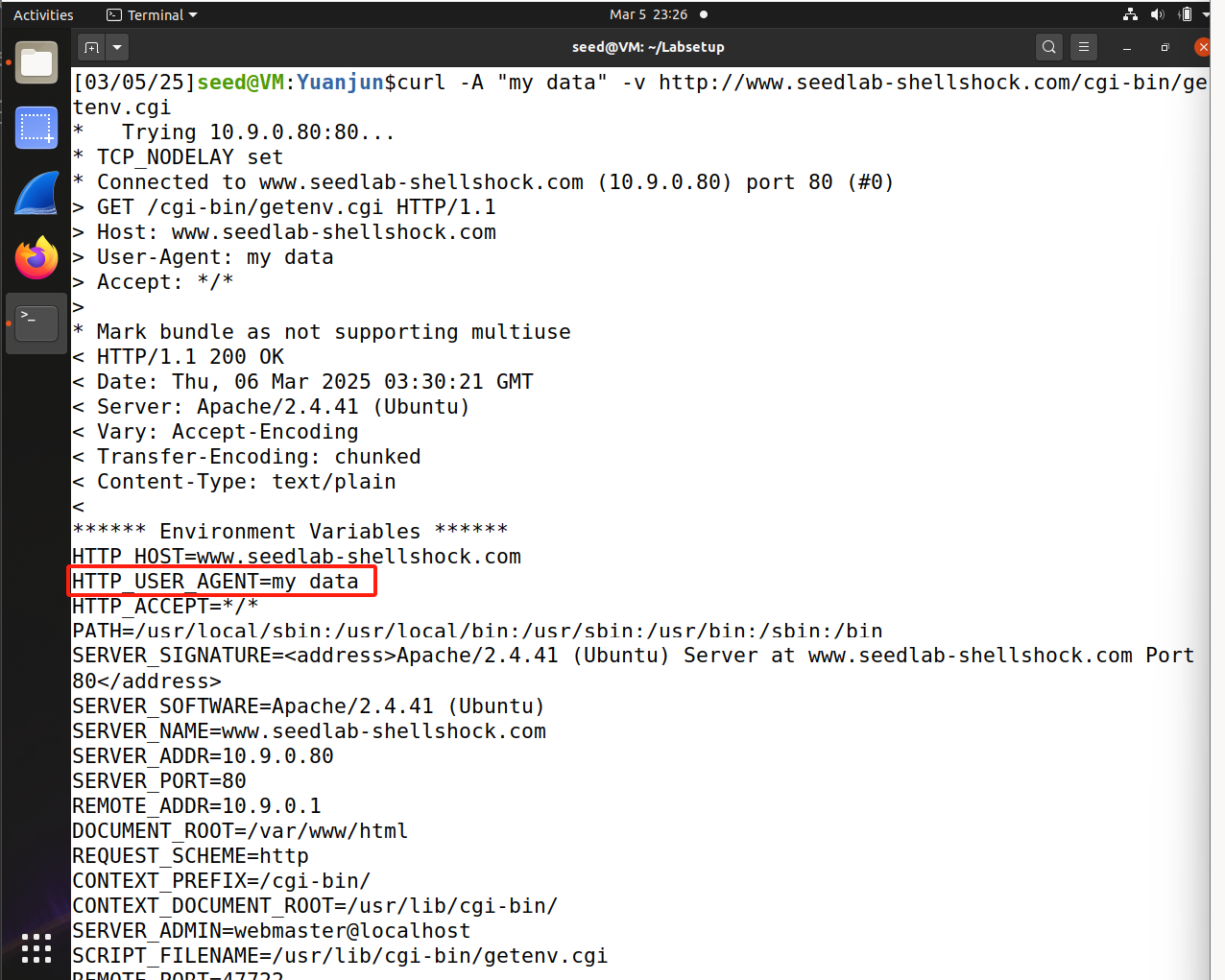
By using the
-Aoption, we notice that the User-Agent field has been changed. -
Using
-eoption (Referer):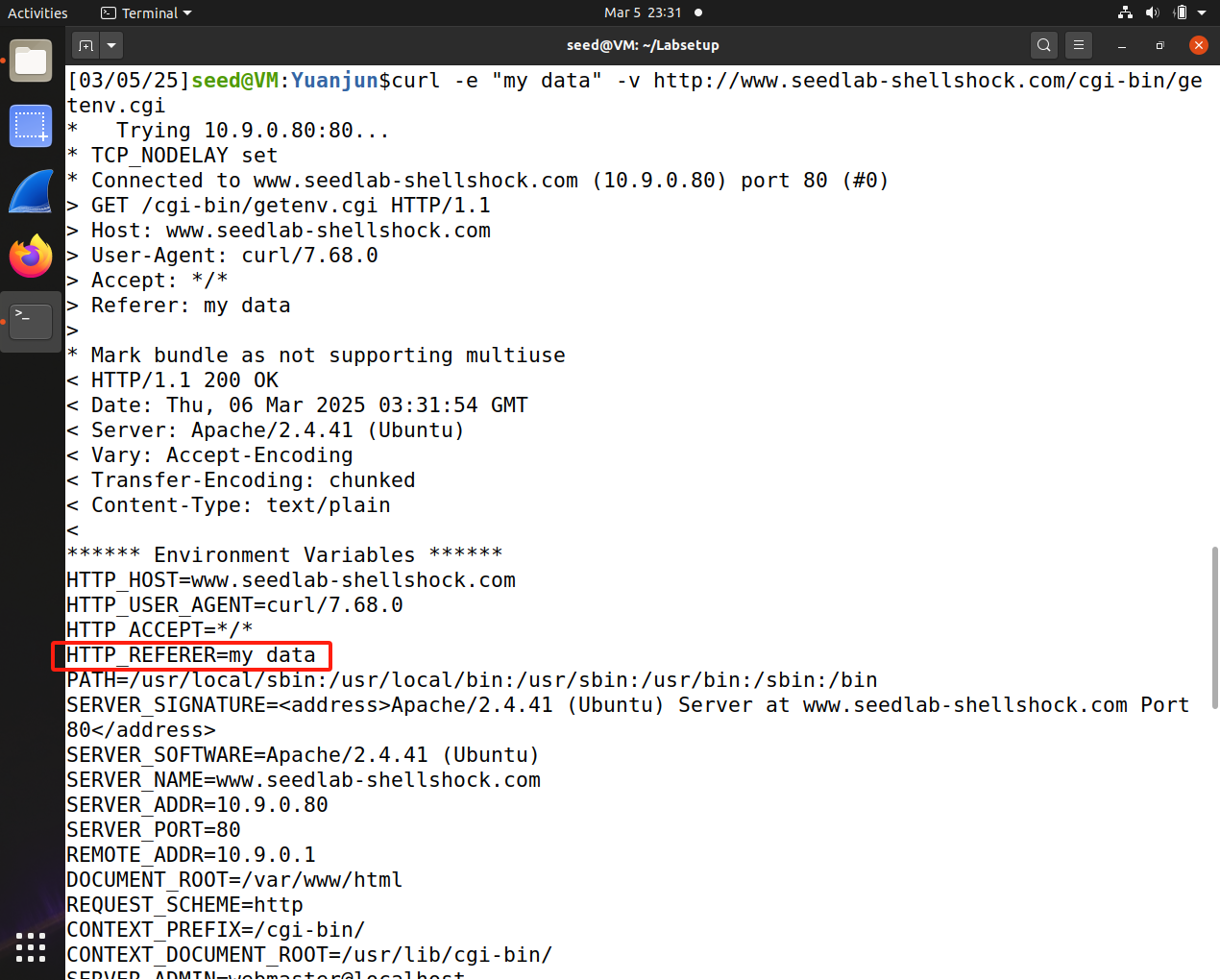
By using the
-eoption, we set the Referer field. -
Using
-Hoption (Custom Header):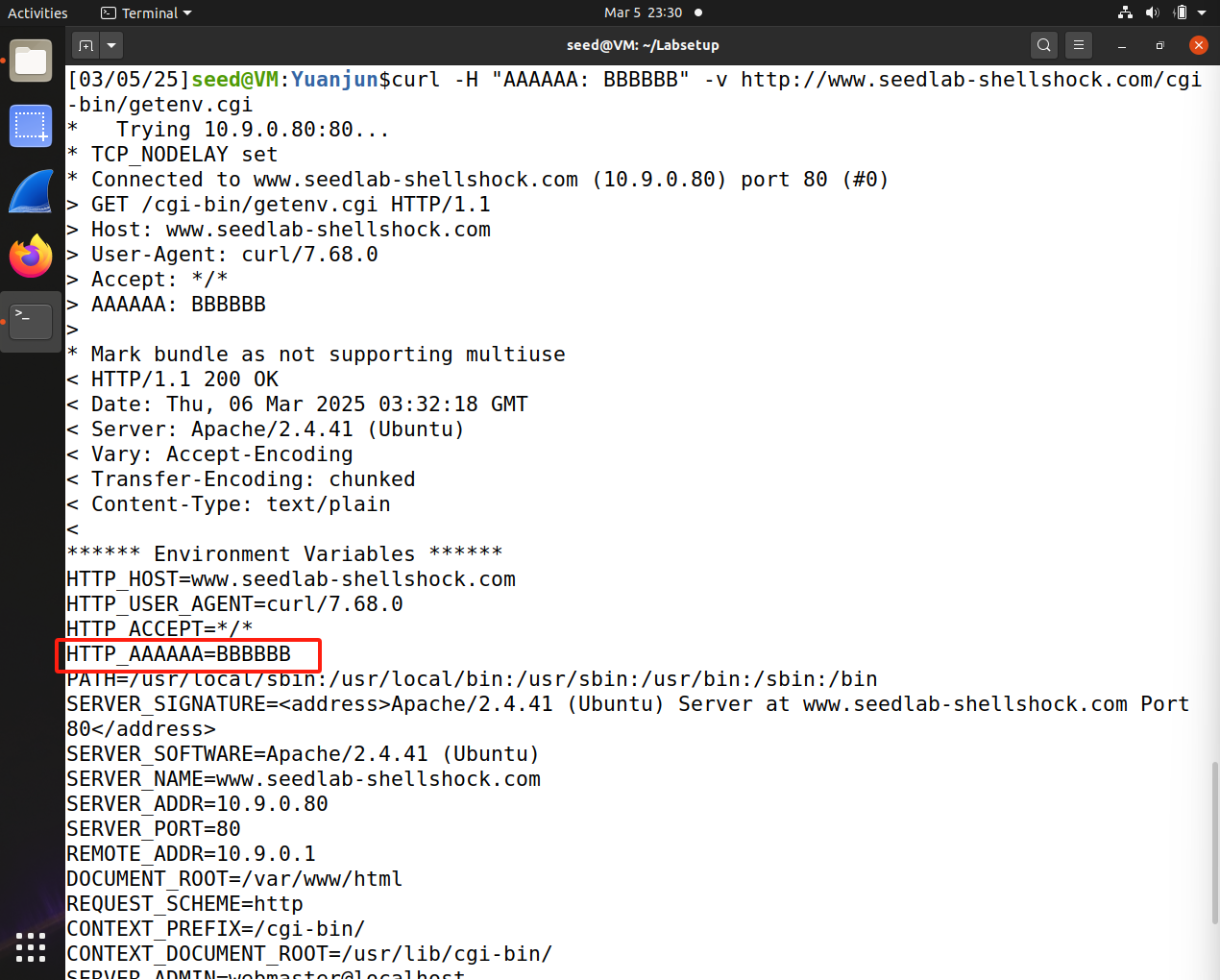
By using the
-Hoption, we adds a custom header, which becomes an environment variable also prefixed with HTTP_.
So when a web server, like Apache, processes a CGI request, it passes HTTP headers as environment variables to the CGI script. And the bash_shellshock, invoked by the getenv.cgi, can interpret these environment variables.
Because the Shellshock exploits environment variables to execute code, the curl options can be used to inject malicious code.